Loop

{% for %}Repeats inner blocks for each item in a data source.What it does
The Loop block repeats its inner blocks once for each item in a data source — posts, pages, categories, users, or any custom data. Whatever blocks you place inside the Loop will render once per item.
How to use it
- Add a Loop block
- Set a query name to expose query metadata (e.g. for pagination)
- Set a data alias — the variable name to access the current item (e.g.
post,product) - Enable Inherit Query to use the page's main query (for archive/index templates)
- Or select a query type (post, term, user, or item) and enter the query arguments
The Loop block generates the query for you.
Build it visually
You don't have to write query arguments by hand. The Query Builder sets them up field by field, and the visual and code views stay in sync.
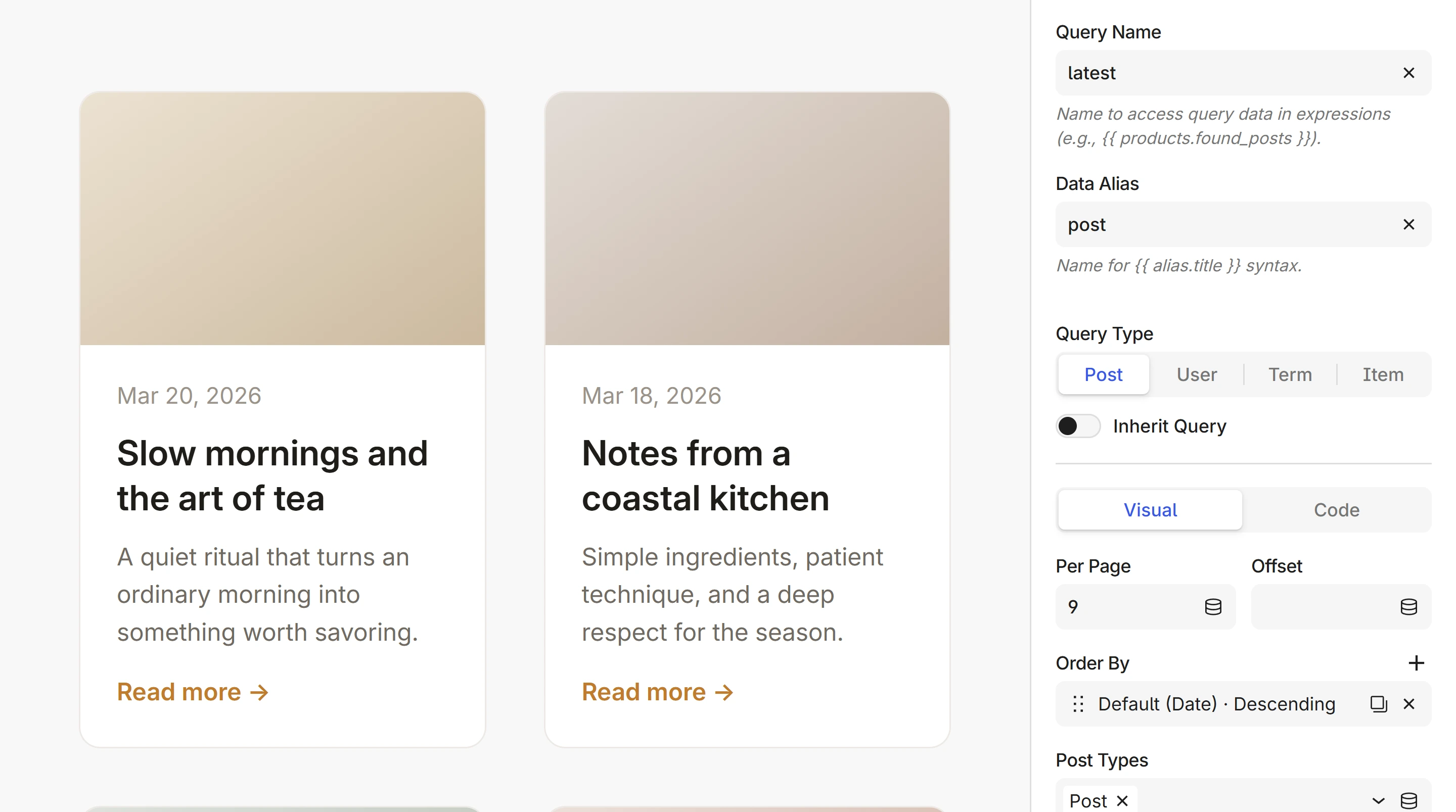
Under the hood, the Loop generates a {% for %} expression:
{% for post in get_posts({'post_type': 'post', 'posts_per_page': 9}) %}
You don't need to write this yourself — the block interface handles it. See the Loop overview for the full syntax, data sources, nested loops, and examples.
Next steps
- Loop overview — item variables, empty states, nested loops
- Query Posts — all arguments for querying posts
- Pagination — add page navigation to loops
- Condition — show or hide content based on data