Condition

{% if %}Shows or hides content based on an expression.What it does
The Condition block wraps other blocks and shows them only when an expression is true. If the expression is false, the content is hidden entirely.
The condition is only evaluated on the frontend — inner blocks are always visible in the editor so you can build and style them normally.
How to use it
- Add a Condition block
- Enter an expression that evaluates to true or false
- Place the blocks you want to conditionally show inside
Build it visually
You don't have to write the expression by hand. The Condition Builder lets you pick the data, choose a comparison, and set a value, clause by clause.
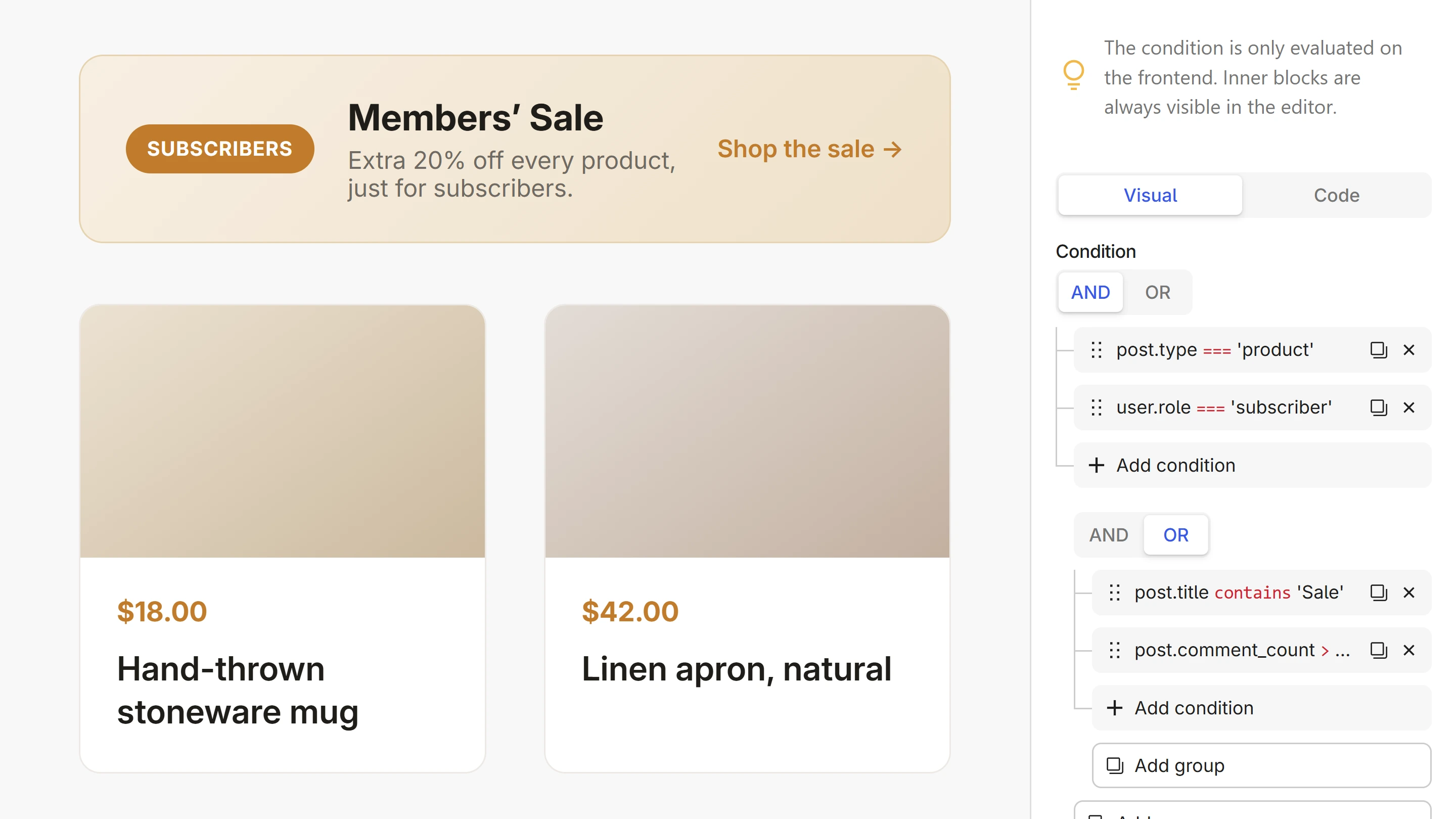
Under the hood, the Condition generates a {% if %} expression:
{% if user.role == 'subscriber' %}
    <p class="banner">Members' Sale — extra 20% off every product.</p>
{% endif %}
See the Condition overview for writing conditions, handling the false case, and common patterns.
Next steps
- Condition overview — operators, false case, patterns
- Condition Builder — build conditions visually, clause by clause
- Loop — repeat content over collections
- Dynamic Data — all available fields you can check against