Condition

{% if %}Shows or hides content based on an expression.This page covers how the Condition block works — what it does, how to set it up, and how to handle the false case.
The Condition block wraps other blocks and shows them only when an expression is true. If the expression is false, the content is not rendered in the HTML at all.
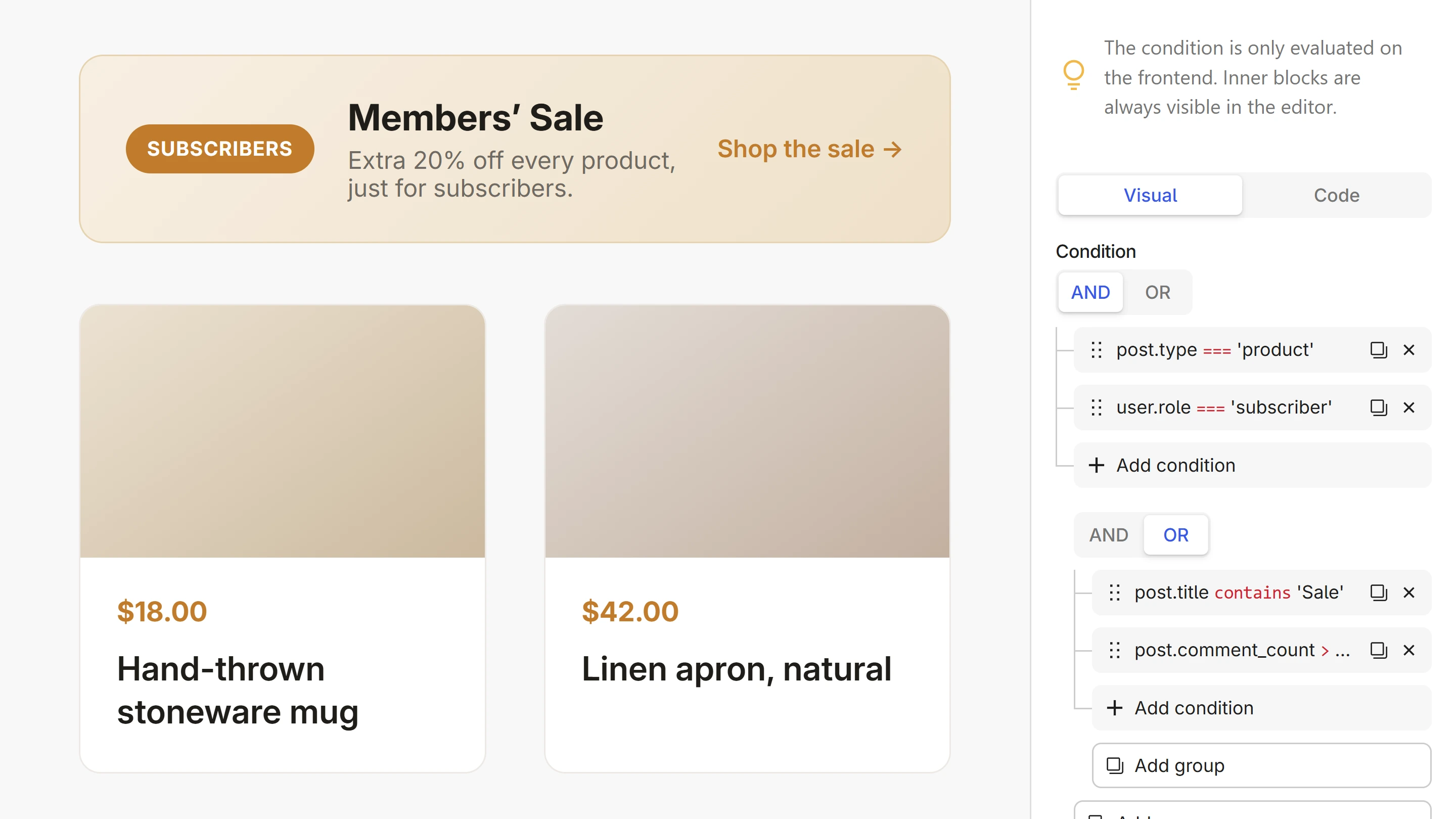
You don't have to write the expression by hand. The Condition Builder lets you pick the data, choose a comparison, and set a value, clause by clause.
How it works
You build the condition in the Condition block's sidebar panel. In the HTML inspector, this becomes a {% if %} / {% endif %} wrapper:
{% if user.role == 'subscriber' %}
    <p class="banner">Members' Sale — extra 20% off every product.</p>
{% endif %}
The condition is only evaluated on the frontend. Inner blocks are always visible in the editor so you can build and style them normally.
Basic examples
Check if a value exists:
{% if post.thumbnail %}
{% if post.excerpt %}
Check if a value matches:
{% if post.category.slug == 'featured' %}
{% if user.id %}              {# user.id is 0 for guests #}
Combine multiple checks:
{% if user.id and 'editor' in user.roles %}
See Condition expressions for the full list of operators, nesting, and how to use dynamic data inside conditions.
Handling the false case
There is no {% else %} in Condition blocks. To handle both cases, use two Condition blocks with opposite expressions:
{% if post.excerpt %}
    <p class="excerpt">{{ post.excerpt }}</p>
{% endif %}

{% if not post.excerpt %}
    <p class="excerpt">{{ post.content|truncate(150) }}</p>
{% endif %}
Because there is no else, it's easy to forget the opposite case. Your visitors will see nothing when the condition is false — no fallback, no placeholder, just blank space. Always ask yourself: "What should show when this is false?"
Next steps
- Condition Builder — build conditions visually, clause by clause
- Condition expressions — operators, nesting, dynamic data
- Condition patterns — real-world recipes for common scenarios
- Dynamic Data — all available fields you can check against