Loop

{% for %}Repeats inner blocks for each item in a data source.The Loop block repeats its inner blocks for each item in a data source. You configure it from the block's sidebar panel — pick a query type, set the arguments, and set a variable name. You can fill the arguments field by field with the Query Builder or write them as a PHP array in code.
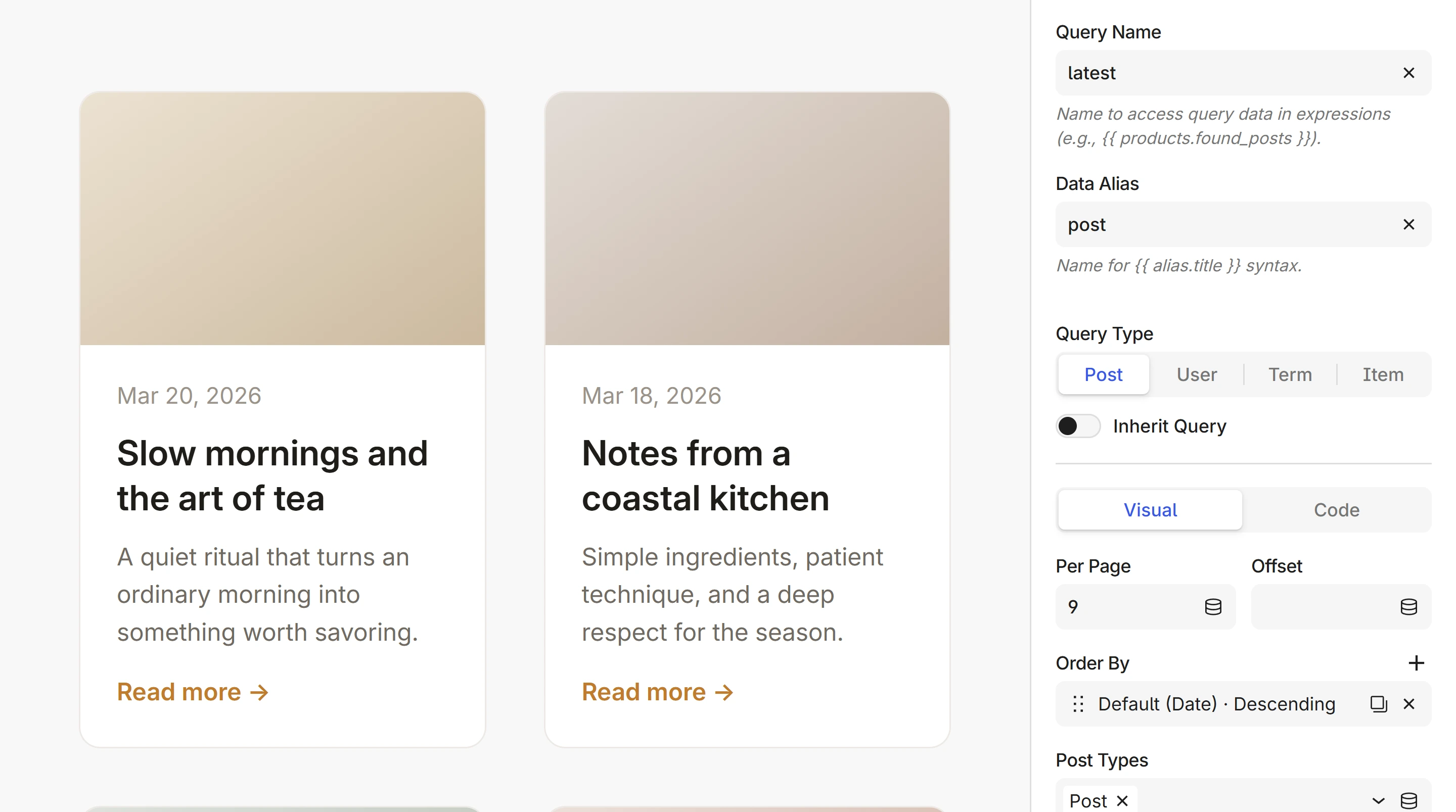
Query types
Pick a query type in the sidebar:
| Query type | What it queries | Arguments | Reference |
|---|---|---|---|
| Post | Posts, pages, CPTs | PHP array | Query Posts |
| Term | Categories, tags, taxonomies | PHP array | Query Terms |
| User | Users by role | PHP array | Query Users |
| Item | Static data, repeaters | JSON, expression, or variable | Query Items |
With the Post query type, turn on Inherit Query to use the main WordPress query instead — for archive pages, search results, and custom post type archives. The query settings are then ignored.
Any argument value can be a dynamic expression instead of a static value — for example post.id or post.categories[0].slug.
Data alias
The Data Alias field sets the variable name for the current item inside the loop. If you're querying products, set it to product — you'll then access product.title, product.price, etc.
You can name it anything: the alias is only a name. The query type and the item decide which provider fields are available:
- Post query → Post provider (or Product for WooCommerce)
- Term query → Term provider
- User query → User provider
Left empty, the alias is the query type: post, term, user or item. Names keep lowercase letters, digits and underscores only. Write two names separated by a comma, key, value, to also get each item's key: see Key-value pairs.
Query name
The Query Name field assigns a name to the query results so you can reference them outside the loop — for pagination, total counts, or empty state checks.
If you set the query name to products, you can use products.found_posts and products.pagination after the loop. See Pagination for details.
Template syntax
In the HTML inspector, the Loop block displays as a {% for %} tag. The sidebar settings map directly:
| Sidebar field | Inspector syntax |
|---|---|
Data alias: product, Query type: Post | {% for product in get_posts() %} |
Data alias: term, Query type: Term | {% for term in get_terms() %} |
Data alias: key, value, Query type: Item | {% for key, value in get_items() %} |
| Inherit Query enabled | {% for post in posts %} |
You can edit the template directly in the inspector. The query arguments stay in the sidebar, so the inspector shows the function with empty parentheses. An expression source shows in full, such as get_posts(post.meta('query')), or post.meta('features') for items; a variable source shows as its name:
{% for product in get_posts() %}
    <h2>{{ product.title }}</h2>
    <span>{{ product.price|currency }}</span>
{% endfor %}
Loop variable
Inside a loop, the loop variable gives you metadata about the current iteration:
| Property | Type | Description |
|---|---|---|
loop.index | int | Current iteration (1-based) |
loop.index0 | int | Current iteration (0-based) |
loop.revindex | int | Iterations left (1-based) |
loop.revindex0 | int | Iterations left (0-based) |
loop.first | bool | True if first iteration |
loop.last | bool | True if last iteration |
loop.length | int | Number of items |
{{ loop.index }}. {{ post.title }}
{{ loop.first ? 'first-item' : '' }}
{{ term.name }}{{ loop.last ? '' : ', ' }}
loop.index counts iterations, never keys. To read each item's key, name it in the tag: {% for key, value in … %} gives an object's property names, or the position from 0 in a list. See Key-value pairs.
Empty state
When a loop returns no items, its content doesn't render. Use a Condition block after the loop to show a fallback.
Set a query name on the Loop block (e.g. events), then check the result:
{% if events.found_posts == 0 %}
    <p>No events found.</p>
{% endif %}
Nested loops
Loops can be nested — for example, list categories with their posts. Use different data aliases to avoid conflicts:
{% for term in get_terms({'taxonomy': 'category'}) %}
    <h2>{{ term.name }}</h2>

    {% for post in get_posts({'category_name': term.slug}) %}
        <a href="{{ post.link }}">{{ post.title }}</a>
    {% endfor %}
{% endfor %}
If you nest two loops with the same variable name (e.g. two for post in ...), the inner loop shadows the outer one — you lose access to the outer item. Always use different variable names for nested loops.
Next steps
- Query Builder — set up the query visually, without writing a PHP array
- Pagination — prev/next links and page numbers
- Query Posts — posts, pages, and custom post types
- Query Terms — categories, tags, and taxonomies
- Query Users — users by role
- Query Items — static data and repeaters
- Variable block — store queries for reuse