CSS Parser
This page shows you how to import and parse external CSS into Unblock.
The CSS Parser panel
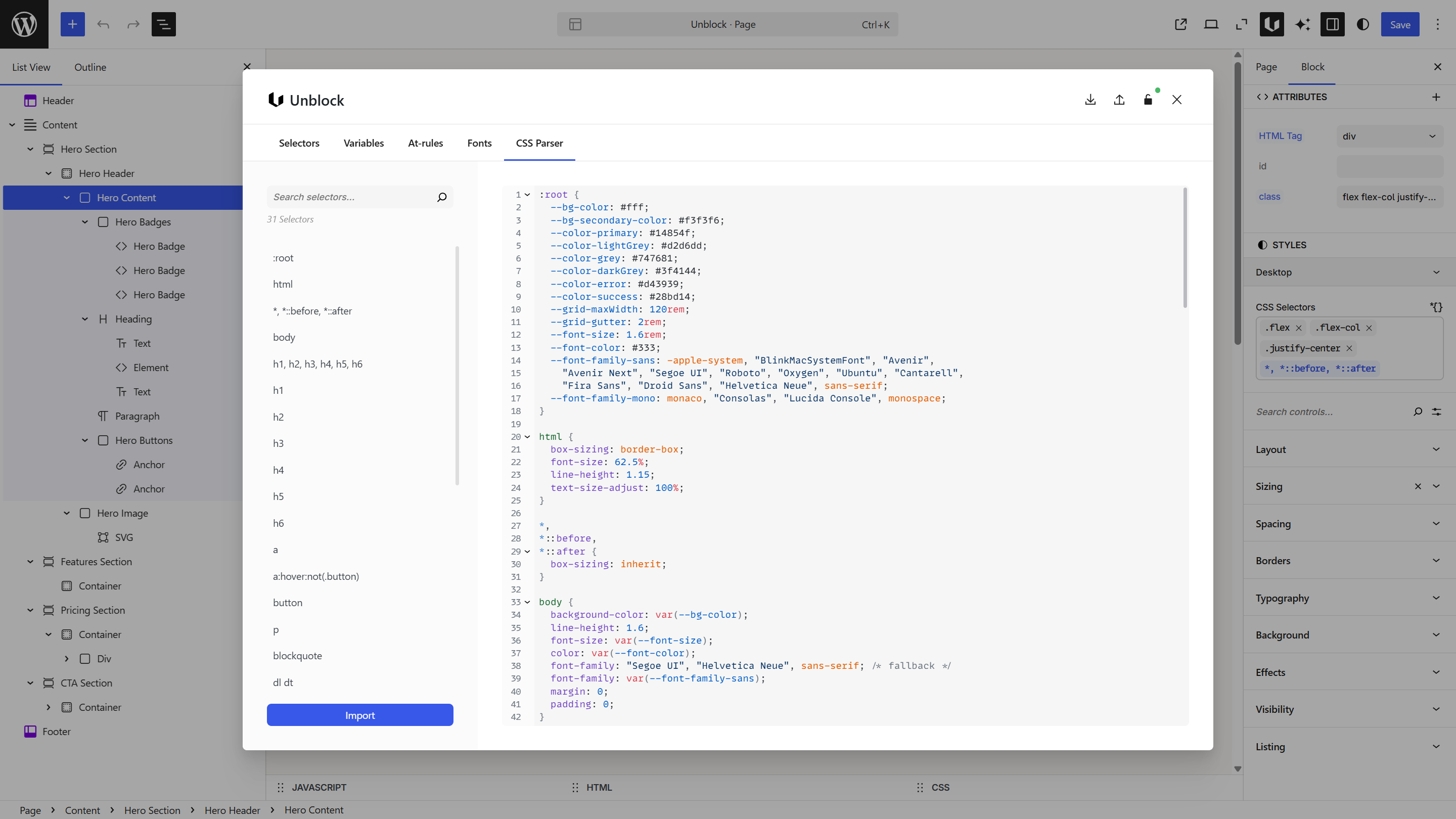
Open the Unblock modal and switch to the CSS Parser panel. The code editor is on the right where you paste your CSS.
What it does
The CSS Parser reads CSS and automatically generates selectors, variables, and at-rules in Unblock. It splits your CSS into the right places:
:rootandhtmlvariables → created as Variables@keyframes,@property,@counter-style→ created as At-Rules@media,@container,@supports,@scope→ created as at-rule tokens with auto-generated names- Everything else → created as Selectors
This is useful when:
- You have an existing site with CSS you want to bring into Unblock
- You're migrating from another builder or theme
- You want to import a CSS framework or reset
Importing CSS
Paste your CSS into the editor and click Parse CSS at the bottom. The sidebar generates a tree view of all detected items, organized into folders — Selectors, Variables, and At-Rules.
Click any item in the tree to preview its CSS in the editor. Remove items you don't want by clicking the delete icon next to them.
Once you're satisfied with the preview, click Import CSS to commit. The import merges with your existing data — existing selectors with the same name are updated at the property level, not replaced entirely. New items are added alongside existing ones.
To parse new CSS after an import, click Clear parsed CSS to reset the editor and start again.
CSS comment directives
You can add special comments in your CSS to control how selectors are imported:
/* unbk scope:global */
.my-class { color: red; }

/* unbk editor:false */
.scroll-reveal { opacity: 0; }
| Directive | Effect |
|---|---|
scope:global | Import the selector as global (site-wide) |
scope:local | Import the selector as local (current page only) |
editor:false | Hide the selector in the editor (frontend only) |
editor:true | Show the selector in the editor |
Add :next to apply a directive to only the next rule — for example, scope:global:next.
Reviewing parsed CSS
The tree view organizes parsed items into folders — Selectors, Variables, and At-Rules. Each folder shows the count of detected items. Click any item to preview its CSS in the editor.
If an imported at-rule expression matches an existing token, Unblock reuses it — no duplicate is created. For new expressions without a match, tokens are auto-generated from the expression (e.g., (max-width: 780px) becomes --max-width-780px). You may want to rename these to more meaningful names in the At-Rules panel.