Design
This page gives you an overview of Unblock's design tools — where to find them and how they work together.
Unblock gives you full control over your site's CSS. Everything you create — selectors, variables, at-rules — is real CSS, tokenized and reusable. Rename a selector and every block using it updates automatically. Change a variable value and it propagates across the site. No abstraction layer between you and the browser.
The design modal
Click the Unblock icon in the top toolbar to open the design modal. This is where you create and organize your design tokens.
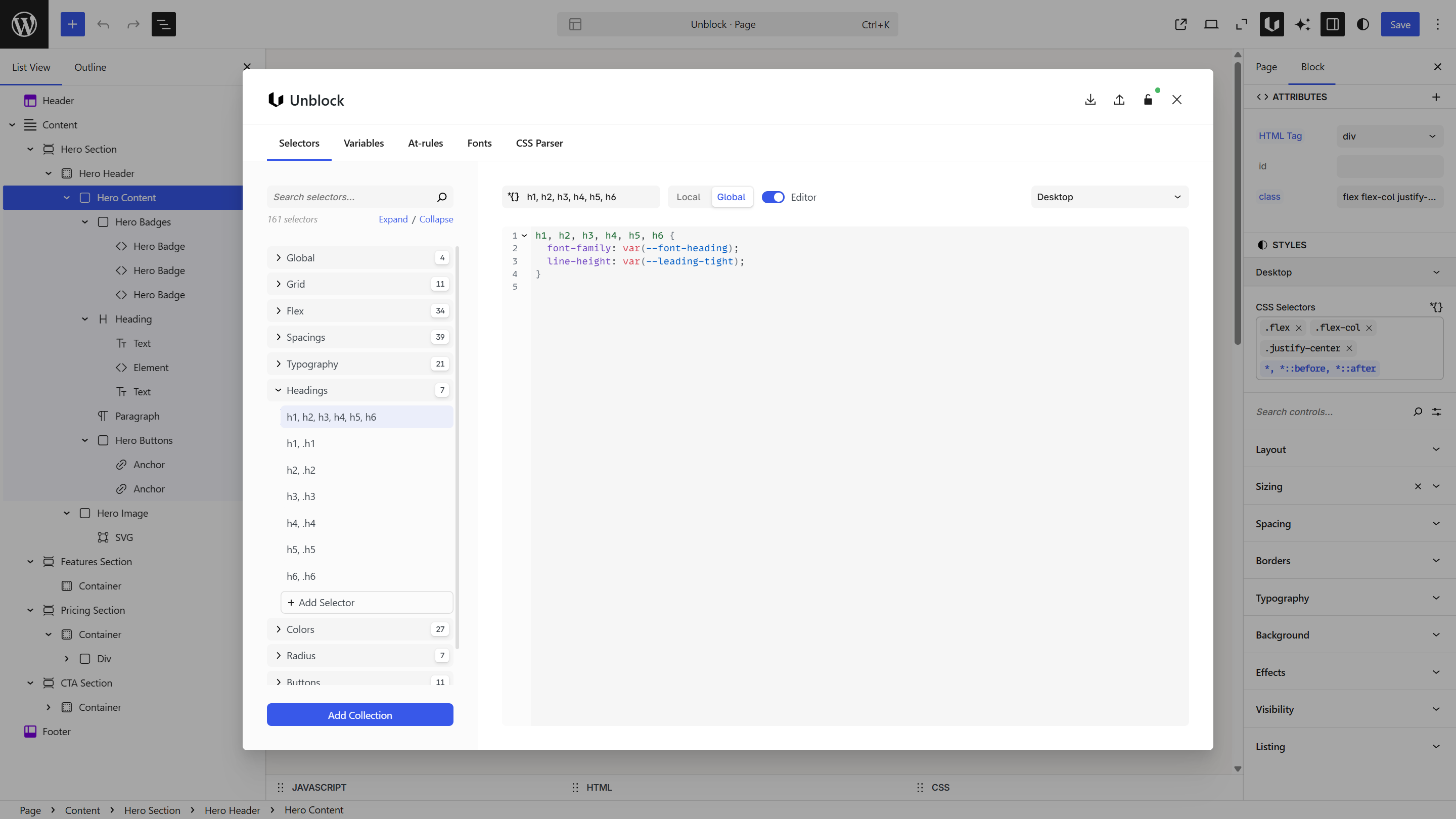
| Panel | What it does |
|---|---|
| Selectors | Create reusable CSS rules — classes, compound selectors, pseudo-classes — organized in collections |
| Variables | Define design tokens (colors, spacing, typography) as CSS custom properties |
| At-Rules | Set up media queries, container queries, keyframes, and other conditional rules |
| Fonts | Add Google Fonts, upload custom fonts, select weights and styles |
| CSS Parser | Import external CSS and automatically generate selectors, variables, and at-rules |
Styling blocks
When you select a block, two tools let you style it:
- Styles panel (right sidebar) — visual controls for layout, sizing, spacing, borders, typography, background, and effects. Type
--in any field to autocomplete your variables. - CSS inspector (bottom panel) — write CSS directly for each assigned selector. Supports the same variable autocomplete.
Both are two-way synced — changes in one reflect in the other.
How CSS is loaded
Unblock generates a single optimized CSS file per page. Only the selectors, variables, and at-rules used on that page are included — unused styles are not loaded.
If the CSS is under 50KB, it's inlined directly in the <head> for faster rendering. Larger files are loaded as external stylesheets.
If your styles aren't applying after a change, clear your page cache first. Unblock is compatible with WP Rocket, W3 Total Cache, LiteSpeed Cache, and other caching plugins — but they serve the old cached version until you purge. Also check that your selector name matches exactly and there are no specificity conflicts from other stylesheets.